
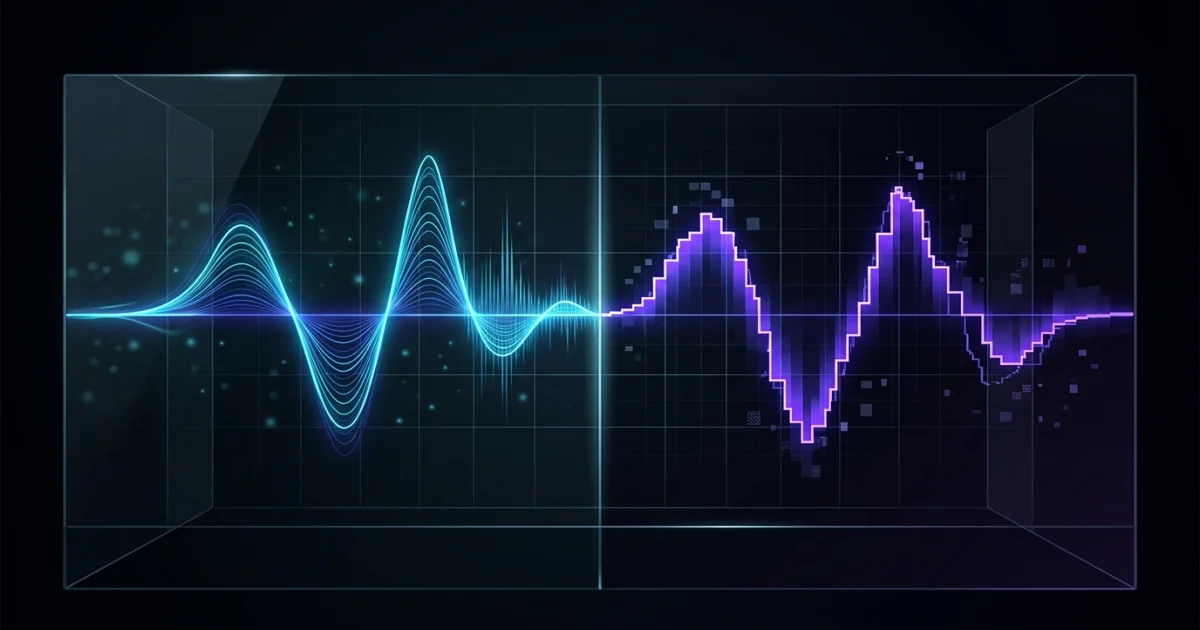
WAV vs MP3 vs FLAC: Which Audio Format Should You Use for Music & AI Audio?
A clear comparison of WAV, FLAC, MP3, M4A, and OGG across sound quality, file size, DAW mixing, streaming uploads, and AI track exports.
Sarah
Whether you are downloading an AI-generated track, exporting stems for a DAW mix, or uploading a single to Spotify, picking between WAV, FLAC, and MP3 determines how much sonic detail survives editing—and how much storage your library burns through.
While a 320 kbps MP3 often sounds transparent during casual headphone listening, editing, time-stretching, or splitting stems from compressed audio exposes artifacts quickly. Here is how WAV, MP3, and FLAC compare, when lossless matters, and how format conversion actually works.
Key Takeaways
- WAV stores uncompressed PCM audio—best for DAW mixing, stem separation, mastering, and distribution uploads (~31.7 MB for a 3-minute 16-bit / 44.1 kHz stereo song).
- FLAC uses lossless compression—bit-for-bit identical audio to WAV at roughly 45–60% of the file size, with rich metadata tag support.
- MP3 uses lossy psychoacoustic compression—compact (~7.2 MB at 320 kbps for 3 minutes) for demos and casual playback, but permanently discards subtle high-frequency and spatial data.
- Need WAV from a track?: Use our Convert to WAV tool when preparing tracks for DAWs or hardware that demand uncompressed PCM.
WAV vs MP3 vs FLAC at a Glance
| Format | Compression | Audio Quality | Size (3-Min Stereo Song) | Metadata / Artwork | Best Use Cases |
|---|---|---|---|---|---|
| WAV | Uncompressed (PCM) | Lossless studio master (16/24-bit, 44.1–96 kHz) | ~31.7 MB (16-bit / 44.1 kHz) | Limited (RIFF INFO / BEXT) | DAW editing, mastering, DJ CDJs, stem splitting, distributor upload |
| FLAC | Lossless compressed | Identical to source WAV (decoded bit-for-bit) | ~15–20 MB (45–60% of WAV) | Rich (Vorbis comments, ISRC, cover art) | Archival masters, audiophile libraries, backup stems |
| MP3 | Lossy (MPEG-1 Layer III) | Throws away masked frequencies; sharp cutoff near 16–20 kHz | ~4.3–7.2 MB (192–320 kbps) | Strong (ID3v2 tags, cover art) | Quick demos, mobile listening, web previews |
| M4A (AAC) | Lossy (or ALAC lossless) | More efficient than MP3 at the same bitrate | ~4.3–5.8 MB (192–256 kbps) | Strong (MP4 atoms) | Apple ecosystem, YouTube/streaming preview |
| OGG Vorbis | Lossy open codec | Efficient perceptual encoding | ~4.3–6.0 MB | Good (Vorbis comments) | Game audio, web apps, streaming backends |
How WAV Works: Uncompressed Studio Precision
WAV (Waveform Audio File Format) stores raw Linear PCM samples without perceptual compression. Every sample captures exact amplitude values 44,100 or 48,000 times per second (or higher in 96 kHz studio sessions).
Why producers, mixing engineers, and distributors insist on WAV:
- Zero generational artifacts: You can apply EQ, saturation, compression, pitch shifting, and stem separation repeatedly without amplifying compression pre-echo.
- Instant hardware & DAW decoding: Every major DAW (Ableton Live, Logic Pro, FL Studio, Pro Tools) and DJ player reads WAV natively with minimal CPU overhead.
- Distribution compliance: DistroKid, TuneCore, and CD Baby expect stereo 16-bit or 24-bit WAV (44.1 kHz+) for lossless streaming tiers on Apple Music, Tidal, and Qobuz.
The tradeoff is storage footprint: uncompressed audio runs roughly 10.6 MB per minute for standard CD quality (16-bit / 44.1 kHz stereo), or about 15.9 MB per minute at 24-bit / 44.1 kHz.
How MP3 Works: Compact Convenience With Hidden Costs
MP3 achieves 75–90% size reductions using psychoacoustic perceptual coding:
- It splits audio into frequency sub-bands and removes sounds masked by louder adjacent frequencies.
- It discards extreme high frequencies—often introducing a noticeable steep roll-off around 16 kHz at 128 kbps or ~19–20 kHz at 320 kbps.
- It quantizes remaining spectral coefficients, which can introduce "pre-echo" smearing before sharp snare hits or hi-hats.
On consumer earbuds, a fresh 320 kbps MP3 sounds clean. Problems appear the moment you process that MP3:
- Stem splitting & vocal removal: AI separators look closely at subtle stereo phase and harmonic partials; lossy MP3 artifacts can leave watery shimmer in isolated vocals.
- Time-stretching & pitch shifting: Stretching a 128–192 kbps MP3 by 8–10% amplifies quantization noise.
- Re-encoding cycles: Exporting MP3 → editing → exporting MP3 again compounds generational loss every pass.
Where FLAC Fits In: Lossless Compression Without Compromise
FLAC (Free Lossless Audio Codec) compresses PCM audio cleanly—like ZIP for sound—so decoding a FLAC reproduces the exact original WAV sample-for-sample with zero audible loss.
Why many creators keep final archives in FLAC instead of raw WAV:
- Cuts long-term cloud and SSD storage nearly in half without sacrificing a single bit.
- Natively preserves rich metadata (
TITLE,ARTIST,ISRC,BPM,INITIALKEY, and embedded album art) via Vorbis tags. - Supported across Rekordbox, Serato, Traktor, Audacity, Ableton Live 11+, and modern browsers.
The Big Myth: Does Converting MP3 to WAV Improve Quality?
No. Converting a 192 kbps MP3 into a 16-bit WAV cannot restore frequencies or transients already discarded during MP3 encoding. Wait—then why convert tracks to WAV at all?
There are three legitimate reasons to convert an audio file to WAV:
- Software & Hardware Compatibility: Legacy samplers, hardware loopers, broadcast systems, and video editors frequently reject MP3/M4A or struggle with variable-bitrate (VBR) MP3 timing drift.
- Sample-Accurate DAW Grids: Uncompressed PCM avoids MP3 encoder padding delays (the tiny 10–30 ms silence at the start of MP3 frames) that can throw loops off the beat grid.
- Preserving Current Quality Before Heavy Processing: Once inside a WAV container, subsequent edits won't stack another round of lossy MP3 compression on top.
Whenever your source offers a native lossless download (like MusicGeneratorAI's studio WAV export or raw stems), always grab the lossless source before converting down for sharing.
Practical Format Playbook for AI Creators & Musicians
Generating & Converting AI Tracks
When creating tracks or instrumentals on MusicGeneratorAI, use compressed MP3s while auditioning prompt iterations—then export or convert final keepers to WAV via Convert to WAV before importing them into your DAW, video timeline, or mastering chain.
Inspecting Real Audio Quality Locally
Not sure whether a "lossless" download is actually a re-encoded low-bitrate MP3? Check any audio file locally in your browser:
- Run our Free AI Music Detector to inspect high-frequency roll-off (such as a sharp ~15–16 kHz cutoff typical of lower-bitrate encodes), dynamic crest factor, stereo phase coherence, and embedded ID3/INFO/BEXT tags—without uploading your file.
- Before importing into a remix or stem project, check exact tempo and Camelot key with our Free Key & BPM Finder.
- Need clean vocal or drum stems for mixing? Use Vocal Remover or Separate Stems on your highest-quality audio file first.
Quick Decision Guide
- Uploading to Spotify, Apple Music, or Bandcamp? Use WAV (16-bit or 24-bit, 44.1 kHz+) or FLAC (where accepted).
- Splitting stems, time-stretching, or mixing in Ableton / Logic / FL Studio? Use WAV.
- Archiving final masters and stems long-term? Use FLAC (or WAV + checksum).
- Sending rough song drafts over Discord, Slack, or email? Use MP3 (320 kbps) or M4A (256 kbps).
Frequently Asked Questions
Can most listeners hear the difference between 320 kbps MP3 and WAV?
In blind ABX playback on standard headphones, most listeners cannot reliably distinguish a well-encoded 320 kbps MP3 from a 16-bit WAV. The real gap appears during mixing, pitch/tempo stretching, stem extraction, and mastering, where uncompressed WAV avoids compounding artifacts.
Is WAV better than FLAC for audio quality?
Audio quality is 100% identical between a WAV and a FLAC encoded from that same WAV. Choose WAV for universal hardware/DAW speed, and FLAC when you want lossless fidelity at ~50% smaller file size.
Why is my WAV file still huge after converting from MP3?
WAV stores uncompressed PCM samples (sample rate × bit depth × channels × duration), regardless of whether the source came from a studio master or a compressed MP3. Only convert to WAV when you need PCM compatibility or sample-accurate DAW alignment.
Summary
Think of WAV as your active studio workbench, FLAC as your lossless archive vault, and MP3 as your lightweight delivery copy. Start from uncompressed or lossless files whenever editing, convert cleanly with Convert to WAV when your tools require PCM, and test your tracks locally with Free Key & BPM Finder and Vocal Remover.